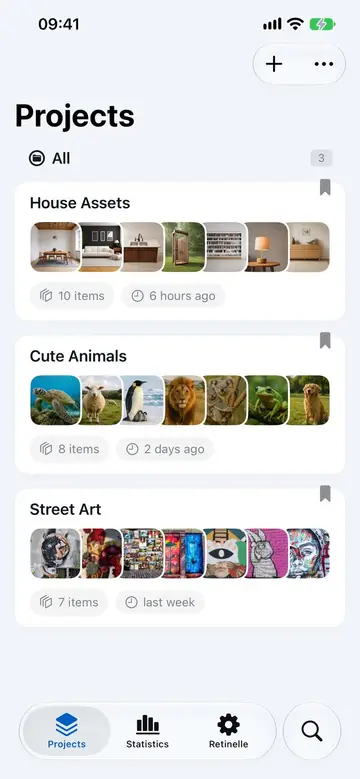
Most inventory apps ask you to create an account and upload photos before you can get organized. Retinelle is offline-first: your inventory entries, photos, notes, and custom fields are stored on your device by default. No account or cloud sync is required. If you back up, export, or share a report, you choose the destination; Retinelle may still receive limited diagnostic and product-usage information as described in the Privacy Policy.
Why offline-first matters
An inventory includes photos of every room in your home, details about valuable items, serial numbers, purchase receipts, and sometimes security information like safe combinations or hiding spots. That is exactly the kind of data worth keeping private.
Offline-first means:
- Your inventory data stays on your device unless you choose to export, back up, share it, or enable Private Cloud Compute for a Smart Fill request.
- No account to create or maintain. Open the app and start working immediately.
- No internet connection required for core inventory work. Use Retinelle in a basement, on a plane, or in a rural area with no signal.
- No subscription required for core features. The app works without an ongoing payment.
How data is stored
Inventory data—items, photos, custom fields, and project structure—is stored locally using the storage provided by iOS, iPadOS, or macOS. This means:
- The data is protected by your device’s security. A locked phone helps protect the inventory stored on it.
- You control when and how inventory data leaves the app, through backups and exports you initiate yourself.
- Retinelle may collect limited crash, diagnostic, and product-usage information. The Privacy Policy explains what those services receive; inventory names, item details, notes, and photos are not intentionally sent to analytics tools.
Smart Fill is an optional Retinelle Plus feature. Its AI runs on-device by default. If you opt in to Private Cloud Compute, only the photos and item details needed for that request may be sent to Apple’s service under Apple’s privacy protections. The Privacy Policy explains this exception.
What about backups?
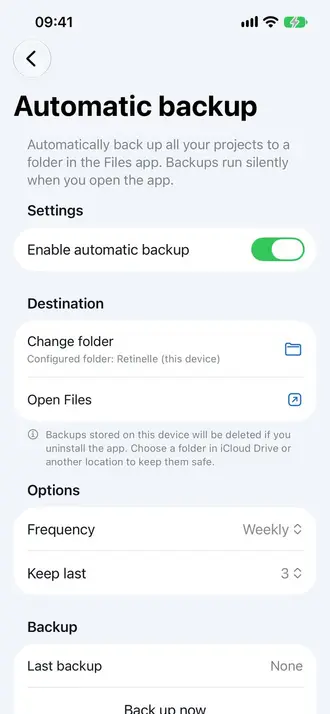
Retinelle includes a local backup and restore feature. You can save selected projects to your device or a location you choose (like a computer or external drive). This backup is a single file you control. See Backup and Restore Your Inventory for details.
Privacy in practice
- Insurance inventory. Your home layout, valuable items, and security details stay on your phone by default; export only the report you need to share.
- Collection catalog. Your collection’s full value and contents remain local unless you decide to back up or share them.
- Work documentation. Client information, job site details, and equipment records are not uploaded just to create a local inventory.
The tradeoff
Offline-first means no automatic sync between devices. If you use Retinelle on both an iPhone and an iPad, you use the backup and restore feature to move data between them. That is a deliberate trade: a cloud-backed app may be more convenient if automatic synchronization is your priority, while Retinelle lets you keep the working inventory local and choose when to move it.
Related features
- Backup and Restore Your Inventory to save and transfer your data
- Export Your Inventory to PDF to share specific data on your terms
- All features
Feature in practice